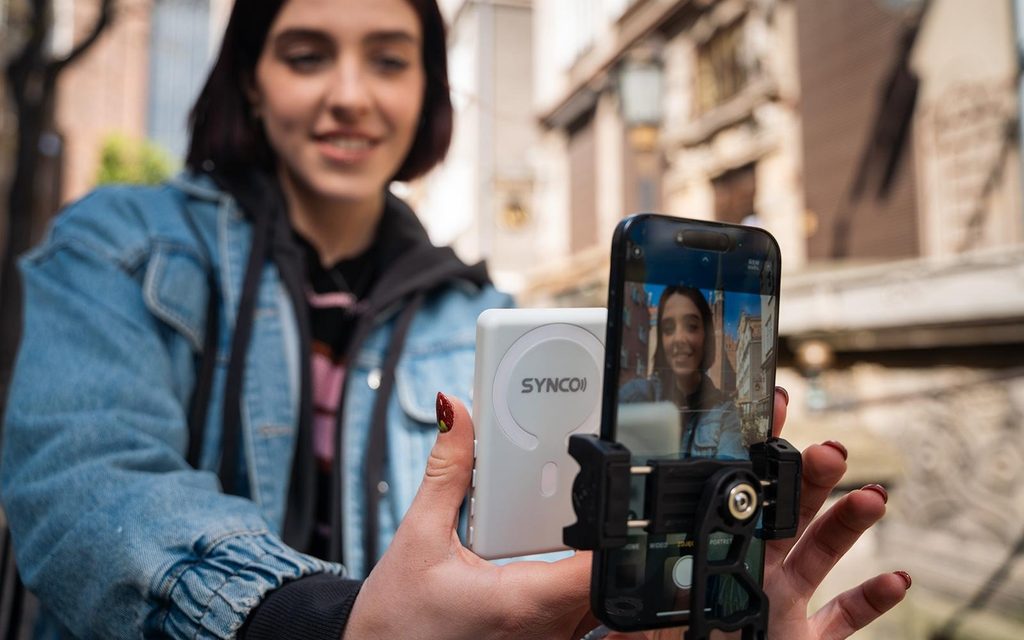
You don’t need an expensive cinema camera to create engaging videos. Modern smartphones offer impressive recording capabilities, making them popular tools for short films, vlogs, and social media content. However, filming yourself with a phone’s rear camera can be challenging when you cannot see the shot. A phone selfie monitor screen offers a practical way to check framing, composition, and recording performance while filming.
What makes smartphone filmmaking challenging?
Smartphones make filmmaking accessible, but capturing professional-looking footage still requires planning and attention to detail.
One common challenge is framing. Rear cameras generally offer better video capabilities than front-facing cameras, but filmmakers cannot easily monitor themselves while using them.
Other common difficulties include:
- Incorrect framing: Subjects may accidentally move outside the camera’s view.
- Poor composition: Background objects or distracting elements can affect the shot.
- Lighting problems: Unexpected shadows or exposure changes may go unnoticed.
- Repeated takes: Filmmakers may discover mistakes only after reviewing their footage.
These issues can slow down production, especially when working alone or with a small crew.
How does a phone selfie monitor screen help filmmakers?
A phone selfie monitor screen displays a live view of the smartphone camera, allowing users to monitor their shots while recording.
Depending on the model, it may connect wirelessly or through a cable. Here are four ways it can improve smartphone filmmaking.
1. Use the rear camera while filming yourself
Many filmmakers prefer their smartphone’s rear camera for its image quality, lens options, and recording capabilities.
However, when filming alone, it can be difficult to see whether the camera is properly positioned.
An external monitor lets creators view themselves while using the rear camera, making it easier to record talking-head videos, short films, and personal vlogs.
2. Improve framing and composition
Good composition helps guide the audience’s attention and makes videos more engaging.
With a live monitoring screen, filmmakers can check subject placement, headroom, and background elements before recording.
For example, when shooting a dialogue scene, a creator can confirm that the subject is positioned correctly within the frame without repeatedly walking behind the phone.
3. Reduce unnecessary retakes
Discovering framing mistakes after recording can be frustrating, particularly when filming outdoors or working with limited time.
These phone monitors allow filmmakers to identify visible problems before or during a take.
This can reduce repeated recordings and make small productions more efficient.
4. Make solo filmmaking easier
Solo creators often handle directing, acting, camera operation, and equipment setup themselves.
A monitoring screen allows them to check their appearance and positioning without relying on another person behind the camera.
This is especially useful for independent filmmakers, travel vloggers, and content creators recording instructional videos.
What should filmmakers consider when choosing phone monitors?
Not all phone monitors offer the same features or compatibility. Before choosing one, filmmakers should consider their recording needs.
- Compatibility: Confirm that the monitor supports the smartphone model and operating system.
- Connection type: Wireless monitors offer convenient positioning, while compatible wired models may provide lower latency.
- Display quality: A bright, clear screen makes monitoring easier in different lighting conditions.
- Latency: Low delay is important when checking movement and camera positioning in real time.
- Mounting options: Magnetic or other secure mounting methods can simplify setup.
- Battery life: Portable monitors should provide enough operating time for planned recording sessions.
Filmmakers should also check whether the monitor supports the camera apps and recording modes they intend to use.
Tips for creating cinematic videos with a smartphone
A monitor is helpful, but creating attractive footage also depends on basic filmmaking techniques.
Plan your shots: Prepare a simple shot list before filming to keep your story organized.
Use good lighting: Natural window light or soft artificial lighting can improve image quality.
Keep the camera stable: Use a tripod, stabilizer, or secure mounting system to reduce unwanted movement.
Check your audio: Clear dialogue and balanced sound are just as important as sharp video.
Review your footage: Check focus, framing, and exposure before moving to the next location.
Conclusion
Smartphone filmmaking has made video production more accessible to independent creators and small production teams.
A phone selfie monitor screen can make filming easier by helping creators use their rear cameras, check composition, and reduce unnecessary retakes.
Combined with good lighting, clear audio, and thoughtful storytelling, it can become a valuable addition to a simple smartphone filmmaking setup.